Small Business PoliciesDIY Policy ProgramsAcceptable Use Policy
Acceptable Use Policy Best Practices for Small Businesses and SMBs
Aaron Mejia, MIGHTY CoFounder & CTO
Every employee uses technology a little differently.
One person installs a browser extension to make their work easier. Another logs into company email from a personal device. Someone uses a new AI tool to summarize a document. Another saves a company file locally so they can work on it later.
Most of the time, people aren't trying to create risk. They're simply trying to get their work done.
But without clear expectations, everyday technology decisions can quickly become inconsistent.
That's where an Acceptable Use Policy comes in.
An Acceptable Use Policy, often called an AUP, establishes practical expectations for how employees should use company devices, systems, accounts, software, networks, and other technology resources.
Most of the time, people aren't trying to create risk. They're simply trying to get their work done.
For small businesses, the best policies don't try to control every click. They give employees enough clarity to use technology confidently while helping the business protect its information, systems, customers, and operations.
In this guide, we'll explore Acceptable Use Policy best practices for small businesses, what your policy should address, common mistakes to avoid, and examples of how to turn broad rules into guidance your team can actually use.
What is an Acceptable Use Policy?
An Acceptable Use Policy defines how employees and other authorized users are expected to use your company's technology resources.
Depending on your business, that might include:
Computers and mobile devices
Email and messaging platforms
Internet and network access
Company accounts and applications
Cloud services
Files and business information
Personally owned devices used for work
Software, browser extensions, and other technology
Why Acceptable Use Policies matter for small business
Small businesses often give employees significant autonomy.
That's usually a strength.
People need to solve problems, move quickly, communicate with customers, choose tools, and get work done without asking permission for every decision.
But autonomy works best when people understand the boundaries.
Without those boundaries, two employees can make very different decisions in exactly the same situation.
One employee might save a customer document in an approved company system. Another might put it in a personal cloud account because it's more convenient.
One might ask before installing new software. Another might connect an application directly to the company's systems without realizing what information it can access.
One might immediately report a lost phone used for work. Another might wait a few days because they don't realize the company needs to know.
These aren't necessarily reckless decisions.
They're often reasonable people making different choices because expectations were never made clear.
A good Acceptable Use Policy changes that.
Clear boundaries create confident decisions.
An Acceptable Use Policy shouldn't tell employees exactly how to handle every possible situation.
It should give them enough clarity to recognize what's okay, what's not, and when they should ask for help.
The goal isn't more control. It's better decisions, made faster, and more confidently.
The best policies are clear, realistic, and built around how your team actually works. As you create or review your AUP, these Acceptable Use Policy best practices can help you turn broad expectations into guidance your employees can understand, follow, and actually use.
1. Write for the people who will actually use the AUP
The first of our Acceptable Use Policy best practices is also one of the simplest:
Write for your employees, not your auditor.
An AUP filled with technical terminology, legal language, and broad statements may look impressive while actually doing very little to influence everyday behavior.
Consider the difference between:
"Users shall not introduce unauthorized applications into the organization's computing environment."
and:
"Only use software and applications approved for company use. If you need a new tool, request approval before installing it or connecting it to company accounts or information."
The underlying expectation is similar.
The second version makes the decision clearer.
When reviewing your policy, ask:
Could someone who isn't a cybersecurity expert understand what we're asking them to do?
If the answer is no, simplify it.
2. Make the policy reflect how your team actually works
Your AUP should describe your actual business and its culture, resources, and work environments, not an imaginary organization with unlimited IT resources.
Write for your company's culture, with your resources in mind.
If employees work remotely, address remote work.
If they use personal phones for company email, address personal devices.
If your team regularly evaluates new software, explain how software should be approved.
If employees use AI tools, decide what is and isn't appropriate to share with those tools.
If you don't have an internal IT department, don't create a policy that repeatedly tells employees to "contact IT" without explaining who that actually means.
A policy that doesn't reflect reality creates a different kind of risk: employees learn that the policy isn't particularly relevant to how they work.
Once that happens, they're less likely to use it when it matters.
3. Be specific about everyday technology decisions
"Use company technology appropriately" isn't particularly useful guidance.
Appropriate according to whom?
Address the decisions employees are actually likely to encounter.
For example:
Devices: Can employees use personal devices for work? What security expectations apply? What should happen if a device is lost or stolen?
Software:Can employees install applications themselves? Who approves new software? What about browser extensions or free online tools?
Company accounts: Should accounts be shared? Can employees use company credentials for non-business services?
Email and messaging: What are the expectations for using company communication systems? What should employees do with suspicious messages?
Company information:Where should business information be stored? Can it be copied to personal accounts or devices?
Internet use: Is reasonable personal use permitted? What types of activity aren't appropriate on company networks or devices?
Remote work: Are there expectations for accessing company information outside the office or using public Wi-Fi?
AI tools: What company, customer, or confidential information can employees enter into AI platforms?
You don't necessarily need a paragraph for every possible technology.
Focus on the decisions your team actually makes.
4. Explain what's allowed, not just what's prohibited
It's easy for an Acceptable Use Policy to become a long list of things employees shouldn't do.
Ensure you provide recommendations for what your team should do, as well as what is not allowed.
It is important to be clear about what behaviors your team should avoid.
Don't share passwords.
Don't install unauthorized software.
Don't store files in personal accounts.
Don't disable security tools.
Don't click suspicious links.
Some prohibitions are necessary.
But employees also need to know what they should do. So instead of only saying:
"Don't store company files in personal cloud accounts."
Tell employees:
"Store company files in approved company systems such as [your approved platform]."
As another example, instead of:
"Don't install unauthorized software."
Explain:
"Request approval from [role/person] before installing or connecting new applications to company systems."
The more your policy points people toward the right action, the more useful it becomes.
Good policies don't just say "no."
They show people what "yes" looks like.
The purpose of an Acceptable Use Policy isn't to create a longer list of restrictions.
It's to make the right decision easier to recognize.
And, don't forget:
A policy is only as useful as how well it has been communicated.
5. Make ownership and escalation procedures clear
Eventually, an employee will encounter something your policy doesn't specifically address. That's normal.
Make sure your team knows who is responsible for what, and how to escalate potential incidents when necessary.
Technology changes too quickly to anticipate every application, device, platform, or situation your team might encounter.
What matters is whether employees know what to do next.
Your AUP should make it clear:
Who approves new software?
Who can answer questions about acceptable technology use?
Who should employees contact about suspicious activity?
Where should a lost or stolen device be reported?
Who owns the policy?
For a small business, the answer may be an owner, operations leader, security lead, IT provider, or MSP.
Employees shouldn't have to guess where to go when they're unsure.
The title matters less than the clarity.
Employees shouldn't have to guess where to go when they're unsure.
6. Keep your Acceptable Use Policy connected to your other policies
Your Acceptable Use Policy shouldn't exist alone on an island. It should reinforce your broader approach to security, privacy, AI, incident response, and risk management.
Ensure your AUP is aligned with your entire policy program.
Your small business AUP should reinforce your broader approach to security, privacy, AI, incident response, and risk management.
For example:
Your Information Security Policy might establish that access to sensitive information should be limited to people who need it.
Your AUP can reinforce that expectation by telling employees not to share accounts or credentials.
Your Incident Response Plan might establish how the organization responds to security incidents.
Your AUP can tell employees how to report suspicious messages, lost devices, or unusual account activity.
Your AI Acceptable Use Policy may establish specific expectations for using generative AI.
Your broader AUP can point employees there when AI-specific guidance is needed.
7. Address new technology without rewriting your policy every month
Technology changes.
Your AUP should be able to change with it without becoming obsolete every time a new application becomes popular.
Write a policy that can evolve with your technology.
Instead of trying to name every tool employees can and cannot use, establish principles that continue to work as technology evolves.
For example:
Employees should use approved systems for company information.
New software should be evaluated before it is connected to company accounts or sensitive information.
Company security controls should not be disabled or bypassed.
Sensitive business or customer information should only be shared with services approved to handle it.
Then create more specific policies or procedures where needed.
AI is a good example. The rapid adoption of generative AI has introduced questions that may deserve their own AI Acceptable Use Policy, while your broader AUP continues to establish the underlying expectations for responsible technology use.
8. Create an Acceptable Use Policy that people can find
The best policy in the world won't help an employee who doesn't know where it lives, or even that your small business has a written Acceptable Use Policy for them to read in the first place.
Make sure your AUP is accessible to your team—and that they know it exists.
Once your AUP is approved, make it part of how your business operates.
Introduce it during onboarding.
Tell employees where it lives.
Explain the expectations that matter most.
Provide a way for people to ask questions.
Consider requiring employees to acknowledge that they've read and understood it.
And when the policy changes, tell people what changed and why.
A policy shouldn't be a document that employees encounter once during their first week and never see or hear about again.
It should be a reference point for making decisions about technology and devices.
9. Review your Acceptable Use Policy regularly
Your technology environment won't stay the same for long. And an outdated technology policy can't provide useful guidance for the decisions your team is making today.
Review your policy on a regular cadence that reflects how quickly your team’s technology use is changing.
Technology will continue to evolve, and that’s a good thing. Thoughtful technology adoption can help your team work more effectively, adapt to change, and build a more resilient business.
New applications are introduced.
Employees start working in different ways.
AI tools emerge.
Remote work practices change.
New customers bring new requirements.
Your security practices mature.
That's why an AUP shouldn't be treated as a one-time project.
For most small businesses, an annual review is a practical baseline. You should also revisit the policy after meaningful changes to your technology, workforce, business operations, security practices, or requirements.
During each review, ask:
Does this policy still describe how our team actually uses technology today?
If not, it's time to update it.
Your business evolves.
Your policies should too.
Every policy review is an opportunity to make your business stronger.
As your team, technology, customers, and risks change, revisit your policies to make sure they still reflect how your business actually operates.
Review. Refine. Reinforce.
Each time you do, you create clearer expectations, more consistent decisions, and a more secure and resilient business.
What does an Acceptable Use Policy example for a small business look like?
An Acceptable Use Policy example for a small business doesn't need to be dozens of pages long.
Imagine a 20-person professional services company where employees use company laptops, Microsoft 365, a CRM, cloud file storage, video conferencing, and several industry-specific applications. Some employees work remotely, and employees occasionally request new software.
This company's AUP might establish expectations such as:
Company systems, devices, and accounts should primarily be used for legitimate business purposes. Reasonable personal use is permitted when it does not interfere with work, create security concerns, or violate company policies.
Employees should use approved company systems to store and share business information and should not move company or customer information into personal email, storage accounts, or unapproved applications.
New software, browser extensions, or online services that access company information should be approved by [designated contact or department] before use.
Company accounts should not be shared, and employees should follow company password and multi-factor authentication requirements.
Lost devices, suspicious messages, unusual account activity, or other potential security concerns should be reported promptly to [designated contact or department].
That's only an example. Your policy should reflect:
Your technology.
Your information.
Your people.
The way your business actually operates.
Sure you can find an Acceptable Use Policy online and simply change the company name. But the goal isn't just to write a policy to add to your library.
The goal is to give everyone the clarity they need to make good, consistent decisions, no matter their role or team.
Common Acceptable Use Policy mistakes that SMBs make
Many AUP problems aren't caused by something being completely absent from the policy. They're caused by the policy being disconnected from the business.
A few mistakes are especially worth watching for:
Making the policy too restrictive. If reasonable everyday work constantly violates the policy, your team will find workarounds that may unnecessarily risk the security of your business or your customers.
Being too vague. “Use technology responsibly” leaves it up to your team to define what responsible means for themselves, including those who may be nontechnical or less familiar with cybersecurity.
Writing only about prohibited behavior. Your teams needs to know what they should and can do, not just what they shouldn't.
Ignoring personal devices and remote work. If they're part of how your team works, they're part of your technology environment, even if they only rely on them occasionally.
Forgetting new technology. Your policy should be flexible enough to accommodate change, especially the adoption of new technology, while establishing clear and actionable principles.
Publishing it and forgetting it. Technology changes too quickly for an AUP to sit untouched indefinitely once written.
Can a small business write its own Acceptable Use Policy?
For many small businesses, yes.
An Acceptable Use Policy is often one of the more approachable policies to create internally because your team already knows a great deal about how technology is used in your business.
Start by documenting the decisions people make every day. Before writing your policy, take a practical look at how technology is actually being used across your business. Your small business AUP should likely answer questions such as:
What company-owned devices do employees use?
Are employees allowed to use personal devices for work?
What applications and cloud services does your team rely on?
Where should company and customer information be stored?
How should sensitive information be shared internally and externally?
Can employees download company information to their devices?
Can company information be stored in personal email, cloud storage, or other personal accounts?
How are new applications, browser extensions, and online services introduced?
Who needs to approve new technology before it's used?
What should employees consider before connecting a new tool to company systems or information?
Can employees install software themselves, or does someone else manage installations?
What expectations apply to passwords and multi-factor authentication?
Can employees share accounts, passwords, or other login credentials?
What constitutes appropriate personal use of company devices, networks, and accounts?
What technology use is specifically prohibited?
What expectations apply when employees work remotely?
Are employees permitted to use public Wi-Fi when accessing company systems or information?
What should employees do if a company device is lost, stolen, or damaged?
What should someone do if they receive a suspicious email, message, attachment, or login request?
What should employees do if they believe an account or device has been compromised?
What should employees do if they accidentally share information with the wrong person or system?
What AI tools are employees allowed to use for work?
What company, customer, or confidential information can and cannot be entered into AI tools?
Are there other emerging technologies that require additional guidance?
What happens to company devices, accounts, applications, and information when someone leaves the organization?
Who is responsible for removing access when an employee or contractor leaves?
Who should employees contact when they're unsure whether a particular use of technology is appropriate?
How should employees request an exception when there's a legitimate business reason to work outside the policy?
What security expectations should every employee understand, regardless of their role or technical experience?
How will employees learn about the policy and any future changes to it?
A trusted questionnaire or template can provide structure, but it should be a starting point rather than the finished product.
If you discover more significant security gaps while creating the policy, don't simply write around them. Document them and decide what needs to improve. A Security Improvement Roadmap can help you prioritize those changes and make progress over time.
From rule to everyday habits your team easily adopts
Writing a strong Acceptable Use Policy is an important step toward helping your team make secure, effective, and consistent decisions about how they use technology every day.
But a policy alone can't determine how people behave.
Employees are much more likely to follow expectations when:
Leaders reinforce them.
Tools make the right behavior easy.
Questions are welcomed.
Security becomes part of everyday conversations rather than something discussed once a year.
Because the strongest policies don't simply exist. They create a security-first culture that helps your small business thrive.
They become part of how people work, every day.
Build an Acceptable Use Policy your team will actually use
Your Acceptable Use Policy doesn't need to anticipate every piece of technology your employees will ever encounter.
It needs to give people a reliable foundation for making good decisions.
Make the expectations clear.
Make them realistic.
Explain what's allowed as well as what's prohibited.
Give employees somewhere to go when they're unsure.
Then review the policy as your technology and business evolve.
That's what Acceptable Use Policy best practices ultimately come down to: creating practical guidance that protects your small business without getting in the way of the people doing the work and helping your SMB grow.
Not sure where to start?
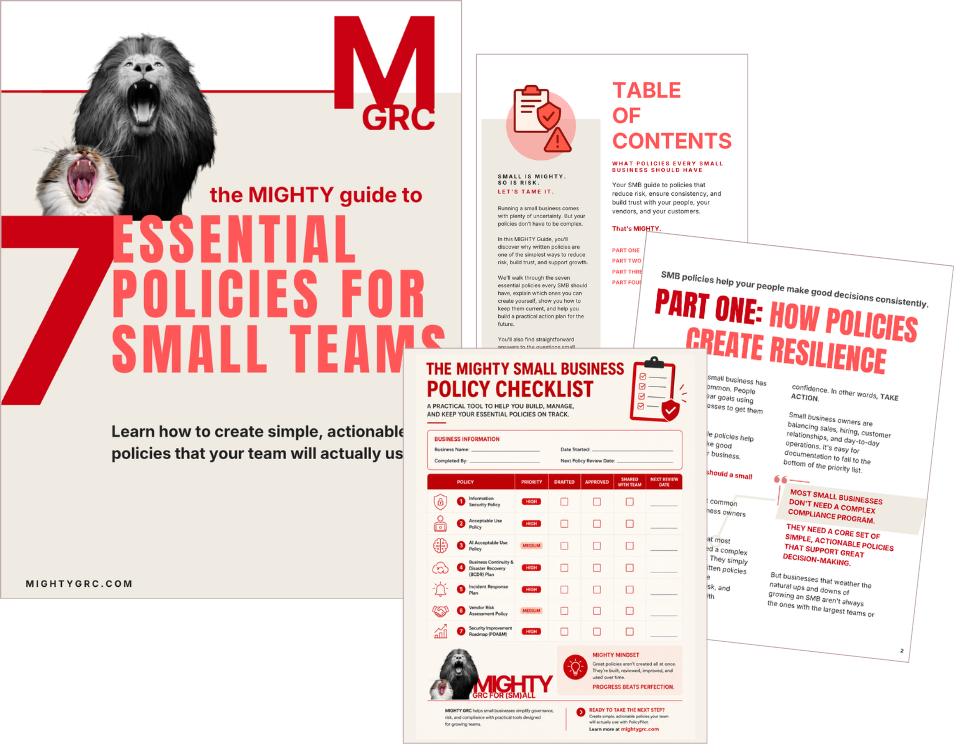
The Mighty Guide to SMB Policies
Get your free MIGHTY Guide to writing your first small business Acceptable Use Policy, and take the first steps toward building a practical policy program that includes Information Security, AI, Business Continuity, and more.
Start with an Acceptable Use Policy. Build a stronger business.
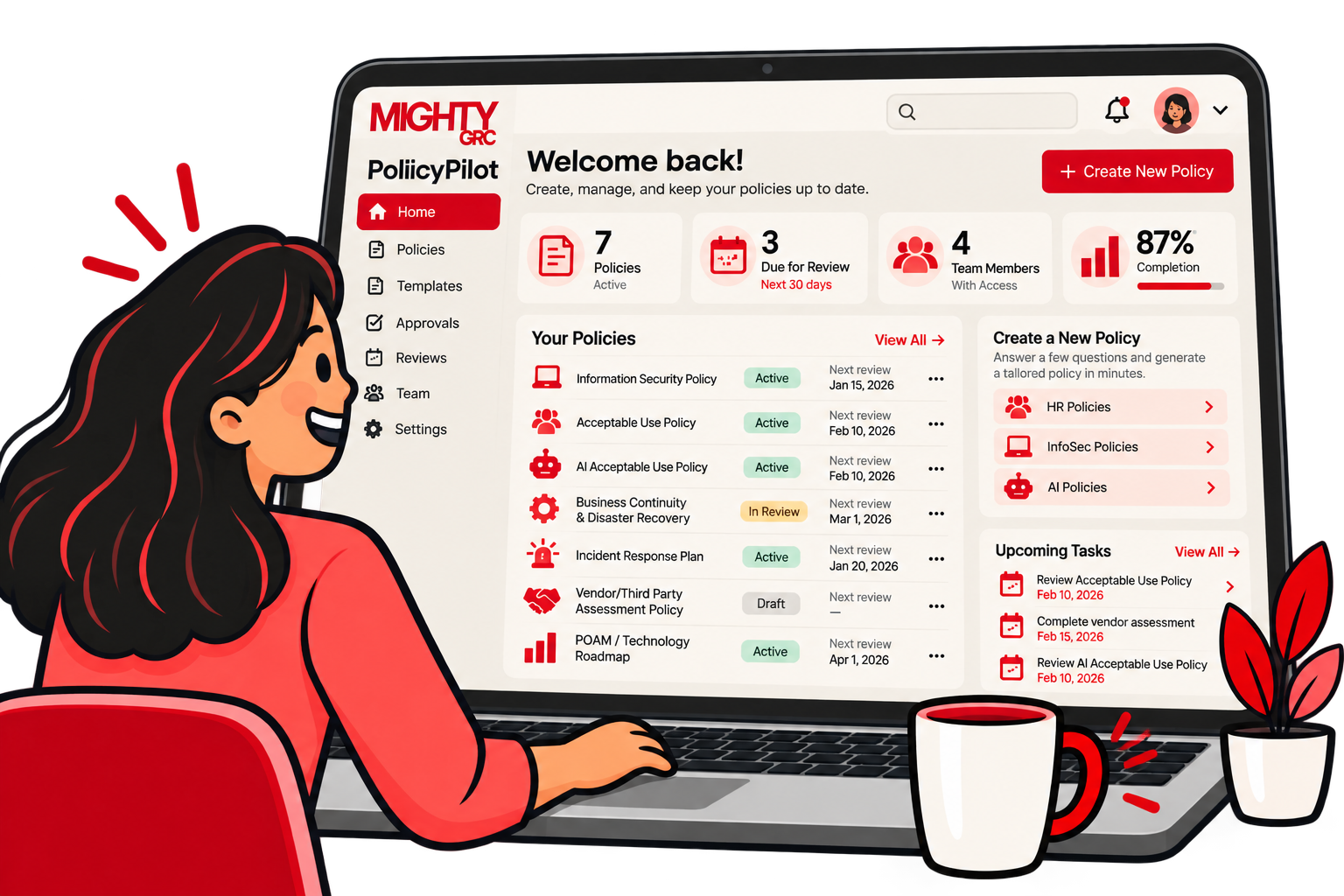
PolicyPilot by MIGHTY GRC helps small businesses turn complex policy requirements into clear, tailored policies built around how their business actually operates.
Creating an effective Acceptable Use Policy shouldn't require weeks of research, a stack of generic templates, or an enterprise-sized compliance team.
Answer a few straightforward questions, and in minutes you can:
Customize your Acceptable Use Policy for your real world business.
Manage policy reviews and approvals in one place.
Use automated reminders to keep your AUP current.
Because having a policy isn't the same as putting it to work.
Your policies should be simple. They should be actionable.
And they should actually get used.
Explore PolicyPilot today and start building your Acceptable Use Policy in minutes.
Thank you from the MIGHTY team. We are dedicated to offering learning resources for small and midsized businesses that are supportive, actionable, and will actually get used.
This article is provided for educational and informational purposes only. It is intended to help small businesses better understand governance, risk, compliance, and policy management, but it is not legal, financial, cybersecurity, insurance, or other professional advice.
Use this content as a starting point for building a stronger, more resilient business—not as a substitute for professional advice tailored to your specific needs.

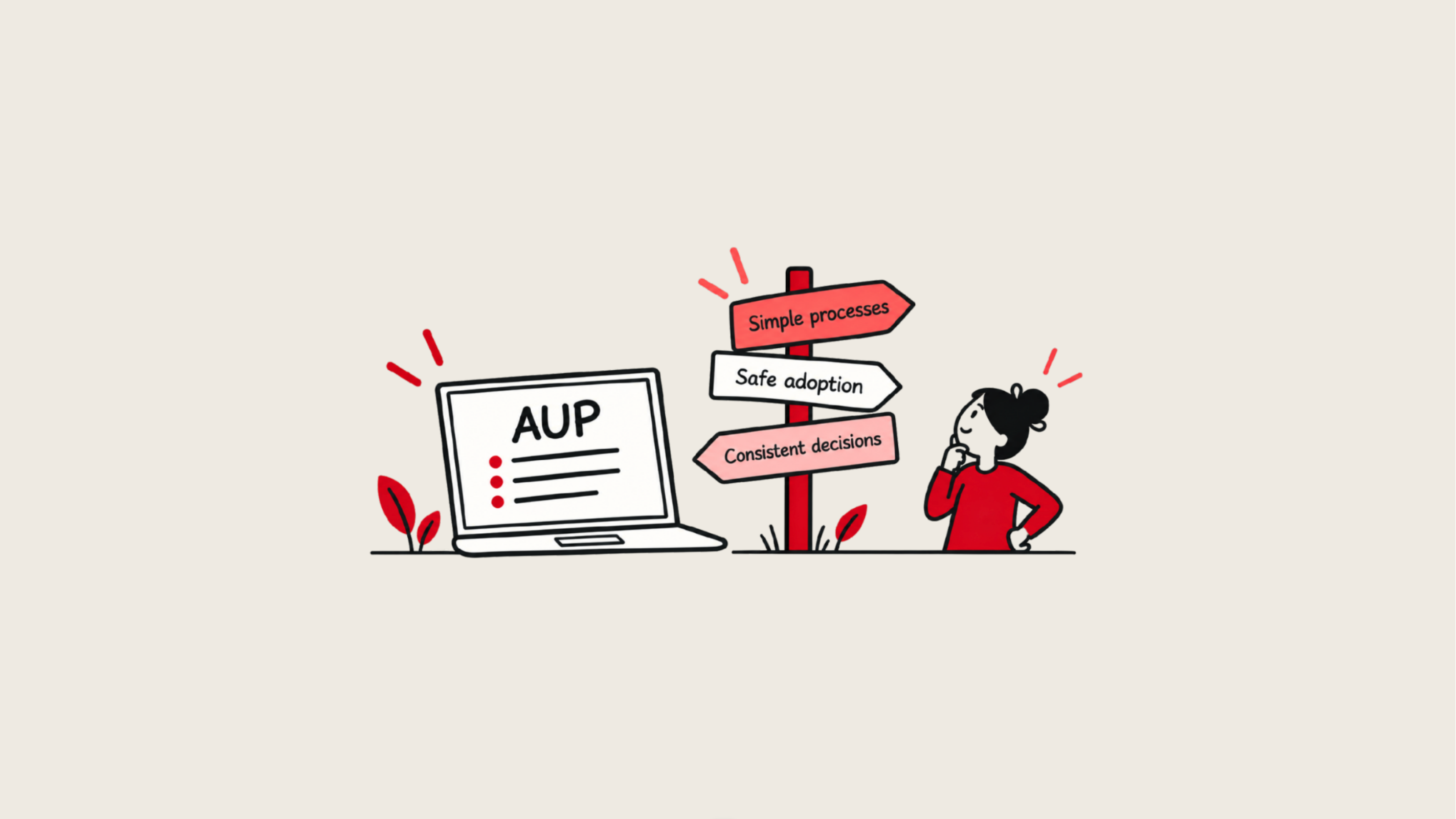

 Most of the time, people aren't trying to create risk. They're simply trying to get their work done.
 The first of our Acceptable Use Policy best practices is also one of the simplest:
 Could someone who isn't a cybersecurity expert understand what we're asking them to do?
 Your AUP should describe your actual business and its culture, resources, and work environments, not an imaginary organization with unlimited IT resources.
 "Use company technology appropriately" isn't particularly useful guidance.
 It's easy for an Acceptable Use Policy to become a long list of things employees shouldn't do.
 Eventually, an employee will encounter something your policy doesn't specifically address.
  Your Acceptable Use Policy shouldn't exist alone on an island. It should reinforce your broader approach to security, privacy, AI, incident response, and risk management.
 Technology changes.
 The best policy in the world won't help an employee who doesn't know where it lives, or even that your small business has a written Acceptable Use Policy for them to read in the first place.
  Your technology environment won't stay the same for long. And an outdated technology policy can't provide useful guidance for the decisions your team is making today.