Small Business PoliciesDIY Policy ProgramsDisaster Recovery Plan
How to Create a Disaster Recovery Plan for Your Small Business
Michael Wallace, MIGHTY CoFounder & CEO
Technology keeps your business moving.
Your team may rely on email to communicate, cloud applications to serve customers, accounting software to manage finances, shared files to access important information, and dozens of other business systems that quietly support everyday work.
Most of the time, those tools simply work.
Until one of them doesn't.
A cyber incident, software outage, hardware failure, damaged device, internet disruption, lost data, or vendor problem can suddenly make technology your team depends on unavailable.
A disaster recovery plan, or DR plan, helps you prepare for what happens next.
It identifies the technology and data your business depends on, establishes how quickly they need to be recovered, and documents how you'll restore them when normal operations are disrupted.
And while disaster recovery can get technical, creating a useful plan doesn't start with servers, backup architecture, or cybersecurity terminology.
It starts with your business.
What counts as a “disaster,” anyway?
When you hear disaster recovery, you might picture hurricanes, fires, floods, or a major cyberattack.
But for a small business, a disaster doesn't have to be quite so... disastrous.
A disaster is any disruption that makes an important system, technology, or data unavailable long enough to interfere with your ability to operate normally.
That could certainly be a major event. But it could also be:
Your team can't access email for an hour.
Your internet goes down in the middle of the workday.
Your point-of-sale system stops working during your busiest shift.
An employee's laptop fails with important files stored on it.
A cloud application your entire team relies on is suddenly unavailable.
Someone accidentally deletes information you actually needed.
A software provider experiences an outage and doesn't know when service will return.
For a 10-person business, losing access to even one critical system can have an outsized impact.
Disaster is relative.
Small for an enterprise may be a major small business disruption.
If something interrupts your ability to serve customers, support your team, access important information, or keep essential work moving, it's worth thinking about how you'll recover from it.
You don't have to experience a catastrophe to need a recovery plan.
That's true resilience.
Not preventing every disruption, but building a business that can adapt when something doesn't go according to plan.
Business continuity vs. disaster recovery
Business continuity and disaster recovery are closely related, but they aren't the same thing.
Business continuity asks: How will our business keep operating during a disruption?
Disaster recovery asks: How will we restore the technology, systems, and data our business depends on in order to move past or recover from the disruption?
Imagine the system your team uses to manage customer orders becomes unavailable.
Your Business Continuity Plan should explain how employees will continue receiving orders, communicating with customers, and documenting work while the system is down.
Your Disaster Recovery Plan should explain how that system and its data will be restored to normal operations.
The two plans should work together.
If you haven't worked through the business side yet, start with ourHow to Create a Business Continuity Plan for Your Small Business article. Your continuity planning will give you much of the information you need to make better disaster recovery decisions for your small business.
Start with understanding your real world operational needs.
Then determine how technology can support recovery.
A backup strategy isn't useful simply because backups exist. A recovery strategy isn't effective simply because a system can eventually be restored.
The question is whether your technology can be recoveredquickly and completely enough to meet the needs of your business.
And, do you have a plan for how to operate at a reasonable baseline while you focus on recovery.
How to write a Disaster Recovery Plan for a small business
You don't need to begin with a giant technical document.
Instead, work through your technology environment one decision at a time.
1. Start with your critical business functions
If you've created your business continuity plan, you've already done much of this work.
You should have identified the activities your business needs to continue serving customers, supporting employees, generating revenue, meeting obligations, and keeping the business moving.
Now take those critical functions and ask:
What technology and information does each one depend on?
For example, processing customer orders might depend on your:
Ecommerce or point-of-sale platform
Payment processor
Inventory system
Customer database
Email
Internet connection
Shared files
Payroll might depend on an entirely different collection of systems and information altogether.
And here's where prioritization gets interesting. Consider this example:
Your business might process customer orders every day while running payroll only twice a month. But frequency alone doesn't determine how critical a function is.
Depending on your business and applicable wage laws, you may have some flexibility in how you handle a temporary interruption to order processing, while missing an established payroll deadline could create legal obligations as well as an immediate negative impact on your team.
In other words, something your business does twice a month may sometimes be less flexible than something it does every day.
Something your business does twice a month may be less flexible than something it does every day.
This exercise connects your technology directly to the work it supports.
That's important because not every business system is equally or more critical simply because your business uses it every day.
2. Inventory the technology and data you depend on
Now create a practical inventory of the technology supporting the critical functions of your small business.
Don't do this exercise in isolation. Ask people across your business what technology they actually rely on to get their work done. Different departments, teams, and employees may depend on applications, vendors, devices, integrations, or information that aren't obvious to leadership or whoever manages your technology.
A tool that seems minor from one perspective may be essential to someone else's day-to-day work. Your sales team may rely on a particular integration, finance may need access to a specific platform to process payroll, or a team member may have built an important workflow around a tool no one else realized had become business-critical.
The goal is to uncover the technology your business actually depends on, not just the technology you already know about.
Include all tools and applications in these categories:
Cloud applications
Email and collaboration platforms
File storage
Accounting and payroll systems
CRM systems
Ecommerce or point-of-sale systems
Scheduling platforms
Industry-specific software
Websites and hosting
Computers and mobile devices
Network equipment
Internet and telecommunications
Databases
Integrations between applications
Backups
Important business data
And don't forget about access.
A system may technically be available while your business is effectively locked out because the person with the administrator credentials isn't available.
Document who owns each system, who has administrative access, where credentials are securely managed, who provides support, and how the vendor can be contacted.
Don't just inventory technology.
Understand what functions depend on it.
A list of applications tells you what technology you use.
Mapping those applications back to your critical business functions tells youwhat matters for business continuity and resilience.
It can also reveal where your business may be more vulnerable than you realized. A critical system might rely on a single vendor, lack a tested backup, have unclear ownership, or depend on access that isn't adequately protected.
Those insights can help you identify gaps in your broader security program and decide what to improve next.
3. Decide How Quickly Each System Needs to Be Restored
You probably won't be able to restore everything at once.
And you probably don't need to.
Your customer-facing platform may need to be restored within hours, while another internal system could potentially remain unavailable for a day or two without significantly affecting the business in the long run.
This is where you'll encounter a disaster recovery term called Recovery Time Objective, or RTO.
An RTO describes how long a system can remain unavailable before the impact becomes unsustainable. The National Institute of Standards and Technology, or NIST, similarly defines RTO around the maximum amount of time a system resource can remain unavailable before creating an unacceptable impact on the business processes it supports.
You don't need to overcomplicate it.
Ask:
How long can our business reasonably operate without this system?
That answer might be:
1 hour → 4 hours → 1 business day → 3 days → 1 week
What matters is that the answer comes from the needs of your business rather than an arbitrary technical target.
4. Decide How Much Data You Can Afford to Lose
There's another important recovery question:
If we restore this system, how far back can the data go before we've lost too much work?
This is your Recovery Point Objective, or RPO.
NIST defines RPO as the point in time before an outage to which business data needs to be recovered.
Imagine your customer database is backed up once every 24 hours.
If something goes wrong at 4 p.m. and your last usable backup is from midnight, could your business reconstruct everything that happened during those 16 hours?
Maybe.
Maybe not.
Your answer helps determine how frequently your data needs to be backed up.
It's about your business, not your technology.
Recovery time asks how long you can be without it.
Recovery point asks how much you can afford to lose.
Those are business resilience questions first and technology questions second.
“It's backed up” isn't quite enough to ensure recovery.
You need to understand what is being backed up, how often, where those backups are stored, how they're protected, and how they would actually be restored.
For every critical system or source of data, ask:
What is backed up?
How frequently?
Where is the backup stored?
Is the backup separate from the original system?
Who can access it?
How is that access protected?
How long are backups retained?
What happens if the primary system itself is compromised?
How would we restore the data?
When was the last successful restore test?
NIST describes an effective data backup process as a crucial part of an overall recovery strategy and recommends regular backups, with the appropriate method influenced by business impact and recovery requirements.
And there's an important distinction here:
Having a backup and being able to recover your data from a backup are not the same thing.
Answering the questions above helps turn your backup from something you hope will work into a recovery process you know can work when you need it.
How do small businesses back up their data?
It may be simpler, and less expensive, than you think.
For a small business, a backup system might be software installed on company computers that automatically and continuously copies important files to encrypted cloud storage. If a laptop fails, files are accidentally deleted, or data becomes corrupted, the business can retrieve a previous copy from the backup provider itself.
And this doesn't necessarily require enterprise-sized spending.
For example, Backblaze currently lists its Business Backup service at $99 per computer per year, including automatic backups and unlimited storage. Carbonite's small-business Core plan currently starts at $287.99 per year and includes automatic encrypted cloud backup for up to 25 computers, with 250 GB of storage.
So for some small businesses, establishing a basic cloud backup process may costhundreds of dollars per year rather than thousands.
More complex environments with servers, large amounts of data, specialized applications, or faster recovery requirements can cost considerably more. In those cases, connect with your MSP or IT provider to understand your options and make sure your backup strategy can actually meet your recovery needs.
That's one of the real advantages of having an MSP as a small business. You don't have to become an expert in every technology decision yourself. A good MSP can help you understand your options, evaluate the tradeoffs, and choose technology that supports what your business actually needs.
Don't start by asking what backup system you should buy.
Start by asking, “What do we need to be able to recover, and how quickly do we need it back?”
Then choose a backup and recovery approach that can actually meet those needs.
Backups aren't just about recovering from a failed laptop or an accidental deletion. They're an important part of your cybersecurity resilience, too.
And that's important because cybersecurity incidents aren't just a big-business problem. They can happen to businesses of any size, and the operational and financial impact can be significant for a small business.
6. Identify your technology dependencies
Technology rarely works in isolation.
For each critical business system, ask:
What else has to be working for this business system to be up and running and useful to my team?
For instance:
Your CRM may depend on your identity provider.
Your ecommerce site may depend on a payment processor.
Your accounting software may connect to your bank.
Your team may access almost everything through Microsoft 365 or Google Workspace.
Your applications may rely on integrations, APIs, internet access, DNS, cloud infrastructure, or third-party vendors.
You may discover that several critical business functions ultimately depend on one vendor, a single administrator, one internet connection, or one authentication system.
That's useful information as you begin to document what you will recover first, and who will be responsible for its recovery.
A dependency isn't automatically a problem.
An unknown dependency is.
Once you understand where your business is dependent, you can decide whether the risk is acceptable or whether another path is worth creating.
Your business continuity planning can help guide that decision.
It gives you a clearer picture of which business functions matter most, how long you can reasonably operate without them, and what alternatives you already have available.
Use those priorities to decide which technology dependencies need a Plan B and where accepting the risk may be perfectly reasonable.
Now put your systems in order of priority for recovery.
If several things become unavailable at once, what gets restored first?
Your answer should connect directly to the recovery priorities you established in your business continuity plan.
You might create simple categories:
Priority 1:Restore immediately
Priority 2:Restore within the first business day
Priority 3:Restore after critical operations are stable
But be careful about dependencies.
Recovery order isn't just about importance. It's also about sequence.
You may want to restore System A first because it's the most important system your team uses, only to discover that System A can't operate until Systems B and C are available.
Recovery order isn't just about importance. It's also about sequence.
8. Assign responsibility for recovery
When technology isn't working, people need to know who is doing what.
A disruption is not the time to figure out who owns the response. Define who will assess the problem, make decisions, contact vendors or your MSP, coordinate recovery, and keep the rest of the team informed.
They also need to know how to contact the responsible team member, as well as each other.
Your disaster recovery plan should identify who will:
Determine what happened
Make recovery decisions
Contact technology providers
Access backups
Restore systems
Coordinate with cybersecurity or IT partners
Communicate progress to leadership
Coordinate with the business continuity team
Verify systems are functioning correctly
Document what happened
Think about what happens if your normal communication tools are part of the disruption. Make sure your team has an alternate way to reach the people they need, whether that's by phone, text, or another agreed-upon communication channel.
And wherever possible, identify a backup person.
If only one person knows how to recover something, that person has become part of your recovery risk.
Ultimately, your plan should make it easy to answer two questions: Who do I need to contact, and how do I reach them?
9. Document the actual recovery process
Now you're ready to document how recovery will happen.
For many small businesses, the most useful disaster recovery plan is relatively short, easy to navigate, and focused on the systems and information the business actually depends on.
Your plan should be long enough to tell people what they need to know, but short and organized enough that they can find that information quickly when something isn't working.
Organize it so someone can quickly identify the affected system, understand its recovery priority, see who is responsible, find the right contact information, and know where to go for the actual recovery instructions.
In other words, make it actionable.
Think of it less like a report and more like a recovery playbook.
Organize it so someone can quickly identify the affected system, understand its recovery priority, see who is responsible, find the right contact information, and know where to go for the actual recovery instructions. In other words, make it actionable.
One important test:
Could someone other than the person who created the plan open it during a disruption and understand what happens next? If not, it probably needs a little more detail or a clearer structure.
For each critical system, your plan should make it easy to answer:
What happened, and how will we know this recovery process should be used?
Who is responsible for coordinating recovery?
Who do we contact for help, including vendors or our MSP?
What needs to be restored?
Where will it be restored from?
Who can authorize the recovery?
What needs to come back first?
Where are the detailed technical recovery instructions?
How will we verify that the system and data have been successfully restored?
What happens next before we return to normal operations?
Some recovery procedures may live in separate technical documentation rather than inside the DR plan itself.
That's fine.
You don't need to copy every technical instruction into the plan itself. If your MSP maintains detailed recovery procedures, your cloud provider has restoration instructions, or your team keeps technical documentation somewhere else, your Disaster Recovery Pan can point people to those resources.
Just make sure your Disaster Recovery Plan and your recovery resources are accessible when your normal systems aren't.
10. Plan for the loss of a vendor, not just your own technology
For many small businesses, disaster recovery increasingly means recovering from someone else's outage.
Your critical business systems may be hosted and maintained entirely by third parties. Or vendors may help you fulfill orders via product or shipping supplies.
That doesn't eliminate your recovery responsibility. It changes the questions you need to ask.
For critical vendors, understand:
What happens to my business if their service becomes unavailable?
How will they communicate with you?
What recovery commitments have they made?
Can you access or export your data?
Do you maintain your own copy of critical information where appropriate?
Is there another way to perform the work temporarily?
What happens if the vendor is unavailable for longer than expected?
11. Test whether your Disaster Recovery Plan actually works
A Disaster Recovery Plan is ultimately a set of assumptions.
Testing helps you find out whether they're true.
You don't necessarily need to begin with a complicated technical exercise.
Start with a common tabletop scenario designed for a small or midsized business.
Gather the people who have been assigned responsibilities in your Disaster Recovery Plan and walk through a realistic scenario:
It's Monday morning and the cloud application your team relies on to manage customer work is unavailable. The vendor doesn't know when service will be restored.
Then, simply walk through your plan.
Who notices first?
Who gets contacted?
What business functions are affected?
What's the workaround?
What other systems depend on it?
How long can you operate without it?
What data might be affected?
Who makes the decision to activate a recovery strategy?
Then go further.
Where practical, test whether backups can actually be restored, whether recovery instructions are accurate, whether people can access the tools they need, and whether the recovery can happen within the timeframe you've established.
A Disaster Recovery Plan is ultimately a set of assumptions. Testing helps you find out whether they're true.
Federal guidance from the Small Business Association, or SBA, similarly emphasizes practicing plans with employees, while NIST includes testing, training, exercises, and ongoing maintenance as core parts of contingency planning.
12. Keep your Disaster Recovery Plan current
Your technology environment isn't standing still. Your Disaster Recovery Plan needs to evolve with it.
You add software. Employees come and go. Vendors change. Systems get replaced. Integrations are added. Data moves. Your business grows.
Review your DRP regularly, and whenever you make a significant technology or operational change.
A DRP written two years ago for technology you no longer use is more like a history book than an actionable Recovery Plan.
Ask:
Is this still how our technology works?
Are these still our most critical systems?
Are the recovery priorities still right?
Do the people listed still have access?
Do the backups still work?
Have we tested them?
A DRP written two years ago for technology you no longer use is more like a history book than an actionable Recovery Plan.
A simple Disaster Recovery Plan Example for a small business
Once you've worked through the steps above, you can organize your findings into something surprisingly simple.
Business System
Support Systems
RTO
RPO
Backup/ Recovery Method
Priority Level
Owner
Customer Management System
Customer service & sales
4 hours
4 hours
[Document your method]
1
[Name/ Contact]
Accounting System
Billing & finance
1 business day
24 hours
[Document your method]
2
[Name/ Contact]
Shared Files
Multiple operations
4 hours
4 hours
[Document your method]
1
[Name/ Contact]
Marketing Platform
Marketing
3 days
24 hours
[Document your method]
3
[Name/ Contact]
Those recovery targets are examples, not recommendations. Your RTOs and RPOs should come from your own business requirements.
Then add the information your team will need during an actual recovery: vendor contacts, escalation paths, roles, recovery procedures, communication processes, dependencies, backup locations, testing procedures, and links to supporting technical documentation.
Your disaster recovery plan doesn't need to be impressive. It needs to work.
Can a small business create its own Disaster Recovery Plan?
Absolutely.
In fact, there's a significant portion of disaster recovery planning that your business should participate in directly.
Your IT provider knows technology.
You know your business.
You know which customers can't wait.
You know which processes generate revenue.
You know which workarounds are realistic.
You know which information your team needs.
You know what happens when a process stops working.
And you know how long your business can tolerate the disruption.
That information is essential to building the right recovery strategy.
But disaster recovery is also one of the places where expert help can become especially valuable.
Backup architecture, cybersecurity, cloud infrastructure, networking, identity systems, recovery engineering, regulatory requirements, and technical testing may require expertise your team doesn't have internally.
That's okay.
The goal isn't to become your own disaster recovery engineer.
It's to understand your business well enough to have a much better conversation with one.
Do not say:
“Can you make sure we're backed up?”
Instead, you need to be able to say:
“These are our most critical business functions. These are the systems they depend on. We need this system back within four hours, and we can tolerate losing no more than one hour of data. Can our current recovery strategy actually do that?”
That's a very different conversation.
Your team should define what your business needs.
An expert can help determine whether your recovery strategy can deliver it.
Getting help isn't giving up ownership of your plan.
It's fortifying it.
Your Disaster Recovery Plan is really about confidence
Disaster recovery can sound highly technical.
But underneath the backups, systems, recovery objectives, and infrastructure is a much simpler goal:
Know what matters. Know what it depends on. Know how you'll get it back.
You can't eliminate every outage, cyber incident, vendor problem, hardware failure, or unexpected disruption.
You can eliminate some of the uncertainty surrounding what happens next.
And that's where resilience starts.
Not with a perfect technology environment.
Not with a hundred-page recovery document.
But with a business that understands what it depends on, has thought through its options, and knows how to move forward when something doesn't go according to plan.
True resilience isn't about making sure nothing ever goes wrong. It's about making sure something going wrong doesn't leave you without a way forward.
True resilience isn't about making sure nothing ever goes wrong. It's about making sure something going wrong doesn't leave you without a way forward.
Not sure where to start?
The Mighty Guide to SMB Policies
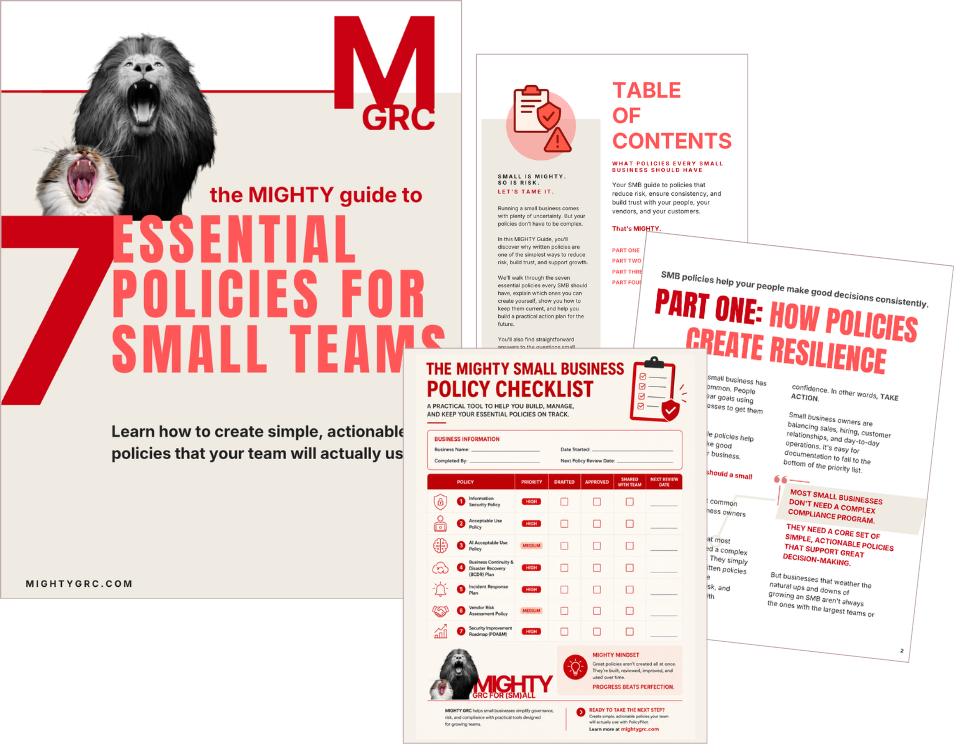
Get your free MIGHTY Guide to writing your first Disaster Recovery Plan for your small business, and take the first steps toward building a practical policy program that includes Acceptable Use, AI, Business Continuity, and more.
Start with a Disaster Recovery Plan. Build a stronger business.
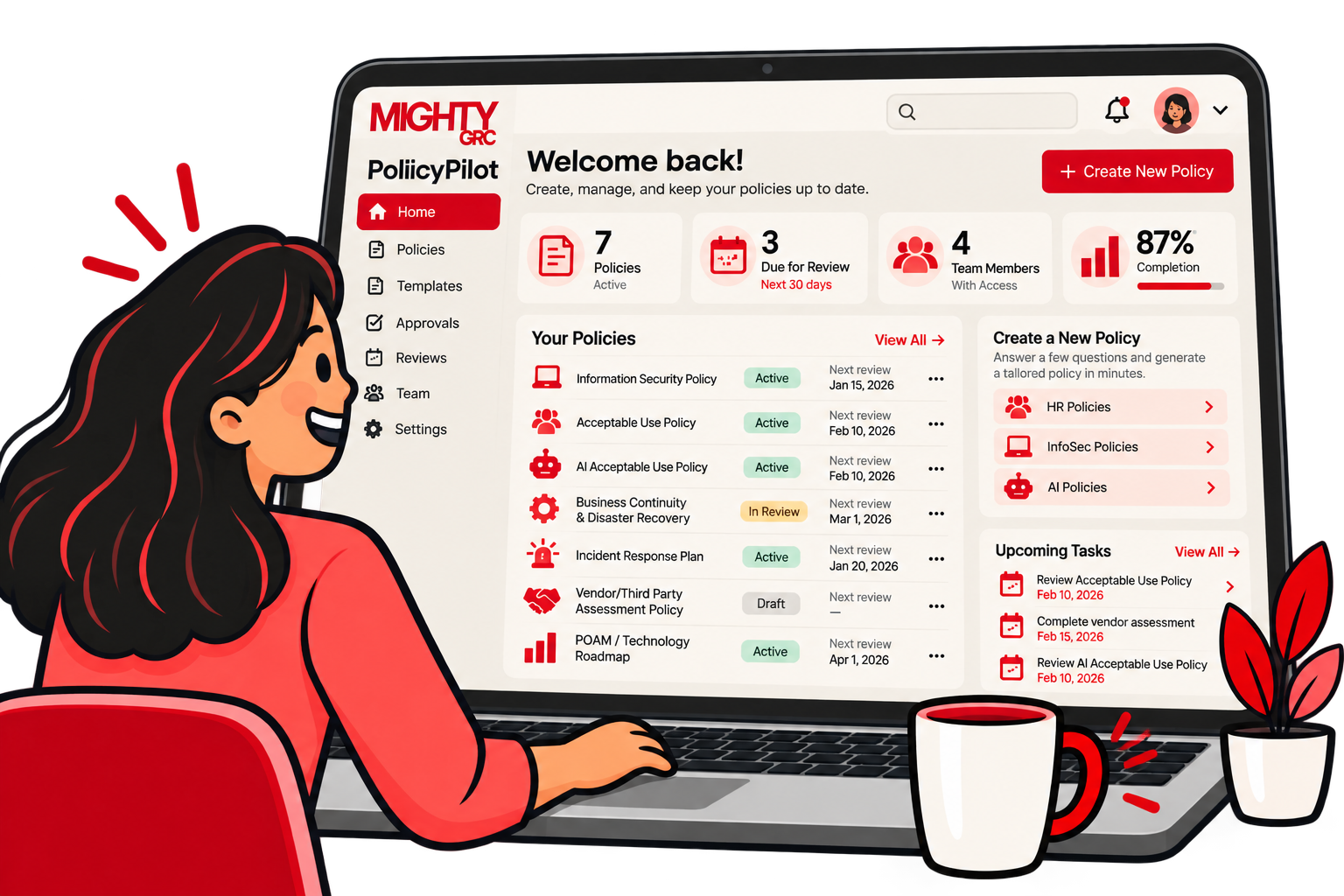
PolicyPilot by MIGHTY GRC helps small businesses turn complex policy requirements into clear, tailored policies built around how their business actually operates.
You don't have to start with technical jargon or a blank document.
Start with your business.
Identify what matters. Connect it to the technology and data it depends on. Establish your recovery priorities. Verify your backups. Test your assumptions. Bring in technical expertise where you need it. Then keep improving.
Answer a few straightforward questions, and in minutes you can:
Customize your InfoSec Policy for your real world business.
Manage policy reviews and approvals in one place.
Use automated reminders to keep your InfoSec Policy current.
Because the goal isn't simply to recover your technology. It's to build a business that's prepared to keep moving.
Your policies should be simple. They should be actionable.
And they should actually get used.
Explore PolicyPilot today and start building your Disaster Recovery Plan in minutes.
Thank you from the MIGHTY team. We are dedicated to offering learning resources for small and midsized businesses that are supportive, actionable, and will actually get used.
This article is provided for educational and informational purposes only. It is intended to help small businesses better understand governance, risk, compliance, and policy management, but it is not legal, financial, cybersecurity, insurance, or other professional advice.
Use this content as a starting point for building a stronger, more resilient business—not as a substitute for professional advice tailored to your specific needs.


 A disaster is any disruption that makes an important system, technology, or data unavailable long enough to interfere with your ability to operate normally.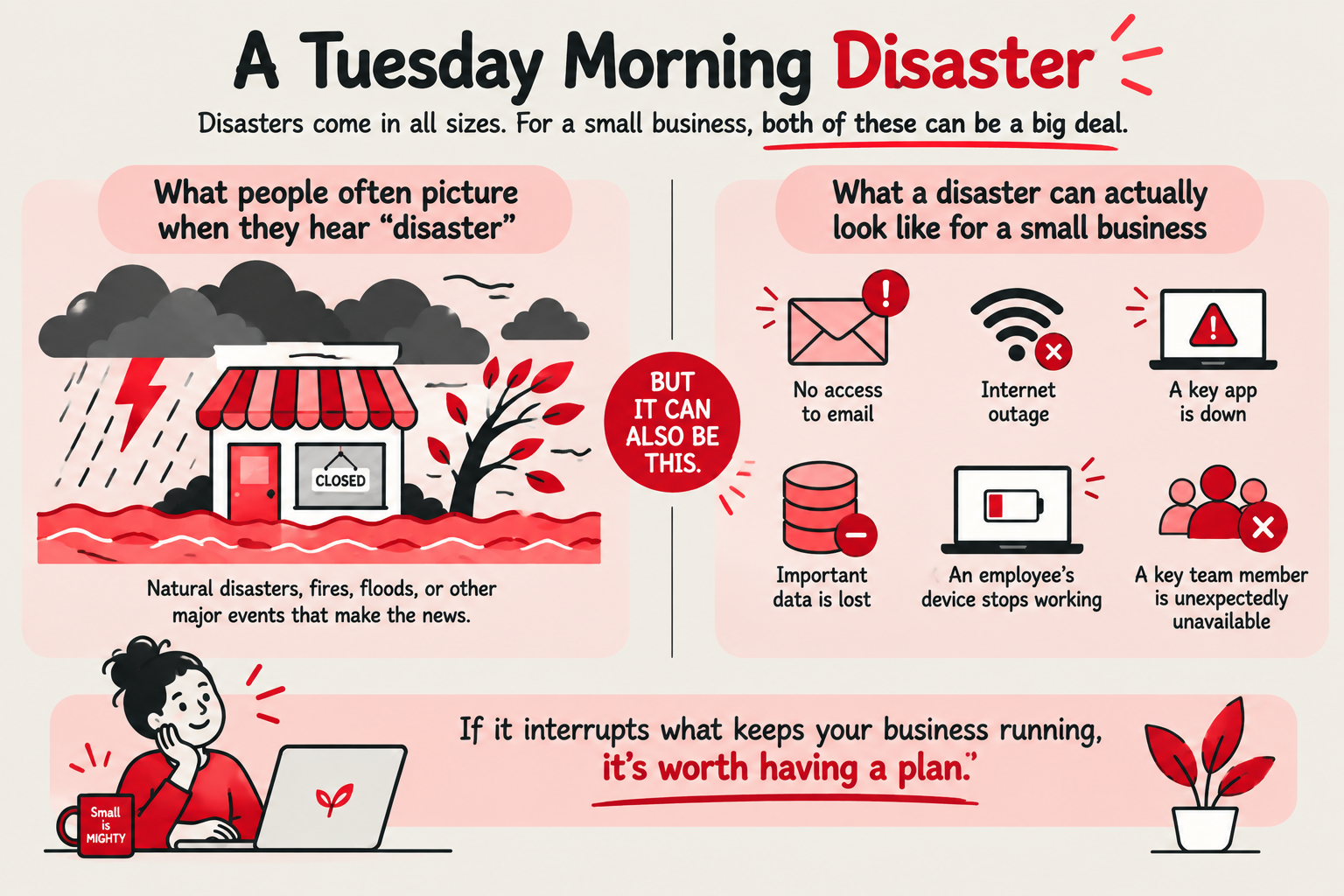

 If you haven't worked through the business side yet, start with our
.png?width=150&height=150&name=Homepage.%20MightyGRC.%20%20(65).png) If you've created your business continuity plan, you've already done much of this work.
If you've created your business continuity plan, you've already done much of this work. Something your business does twice a month may be less flexible than something it does every day.
 You probably won't be able to restore everything at once.
 There's another important recovery question:
 “It's backed up” isn't quite enough to ensure recovery.
 Technology rarely works in isolation.
  Now put your systems in order of priority for recovery.
 For many small businesses, disaster recovery increasingly means recovering from someone else's
 A Disaster Recovery Plan is ultimately a set of assumptions.
 It's Monday morning and the cloud application your team relies on to manage customer work is unavailable. The vendor doesn't know when service will be restored.
  Your technology environment isn't standing still. Your Disaster Recovery Plan needs to evolve with it.